Showing posts with label labels. Show all posts

Saturday, December 14, 2013

Bookplate labels for children - perfect stocking stuffer

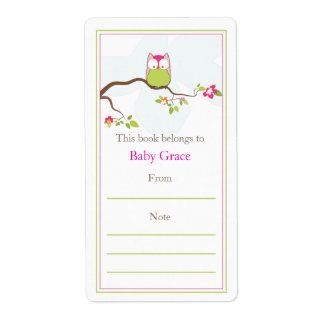
Here's a collection of bookplate labels I snagged from Zazzle.
Pink bunny bookplate square sticker
Pink bunny bookplate square sticker by petitpaintpaintdraw
Look at more Bookplates Stickers at zazzle
Custom Bird Bookplate Stickers in Blue
Custom Bird Bookplate Stickers in Blue by whimsydesigns
Look at Custom name Stickers online at Zazzle.com
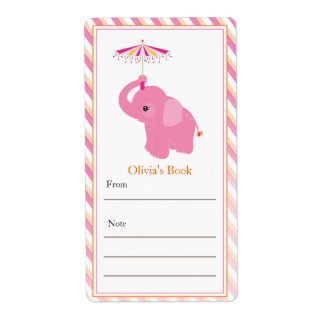
Pink Elephant Bookplates Labels
Pink Elephant Bookplates Labels by heartlocked
Look at Bookplates Labels online at Zazzle.com

Friday, November 1, 2013

Freebie Friday - Free printable journal spots!

I love creating journal spots!  These little guys can be printed on cardstock or full, uncut label stock. then simply trim with scissors or a paper trimmer.

Use them as you wish but please do not sell the printable file.  I do not mind if the physical label/sticker is used in something you sell!


Here is the download link for the printable pdf:
http://www.crafthub.me/download.php?hash=0f2a7678b0cd203a585208eea7caa595

Please pin!

Friday, July 26, 2013

Friday Freebie - Flip flop address or party labels

Hello!  Here is a sheet of printable flip flop address labels.  Can also be used as party labels, school ID labels, etc.


These are set up to print directly on regular address labels (Avery 8160 - 30 to a sheet or any 2.62"x1").  

Click this link to download your labels:
http://www.crafthub.me/download.php?hash=54a7e76c6a36c94b93613c62cfae8bdf
Please share this page with your Facebook friends!


Monday, July 8, 2013

Tips for printing your own invitations and paper products at home


We're selling more and more "print your own" invitations, stationery, labels and party items these days.

"Print your own" items are designed with custom wording, colors, etc. and then delivered to the customer via email as a jpg or pdf.

We sell many print your own items in our Etsy store and website.

Once you have the jpg or pdf, you are free to print at:
1.  a storefront printer or photo lab such as; Office Max, Staples, Walmart, etc.)
2.  an online print shop (mpix, walmart, etc.)
3.  or at home.

When printing at home, be sure to set your printer correctly for the best results.

Under your PRINT SETTINGS or PROPERTIES tab (this will show up after clicking the PRINT button), be sure to select:
1.  Quality - I use the TEXT & IMAGE setting
2.  Paper Option - I use the heaviest paper option (even if you're printing on labels)

Then under the ADVANCED tab, I click COLOR CONTROLS under COLOR MANAGEMENT.
3.  I then choose RGB under COLOR MODE
4.  And I choose the highest GAMMA setting

Your printer may not have all of the options mentioned above.  Just try to find as many as you can and experiment on practice paper before using your expensive cardstock and label stock!

IMPORTANT:  If you are printing an item with a design that prints all the way to the edges of the paper like this one below, you will need to set your printer for "PRINT TO EDGE."  Most printers have this option.  If not, your design will have a white margin around the design and you'll need to trim with a paper cutter or scissors.

I invite questions or comments and will try my best to help you with your printing questions.

Next, we'll work on the specifics of printing invitations, labels, etc. including tips on inexpensive paper cutters, printers, etc.

Friday, November 23, 2012

Freebie Friday - Christmas Shipping Box Stickers for kids

Here are some Christmas stickers you can use to decorate shipping boxes when you send gifts out of town. Print on a 8.5X11" plain sticker sheet and cut. Plain sticker sheets can be found in office supply stores or at http://onlinelabels.com Here is the pdf: http://www.mediafire.com/view/?87ytpjyb56gwrrr
Simple, Free Image and File Hosting at MediaFire

Zazzle


See other gifts available on Zazzle.